![logo-white.png]](https://knowledge.benq.com/hs-fs/hubfs/logo-white.png?width=50&height=50&name=logo-white.png)
[New Features]
Passkey login
Users can now set up a Passkey for passwordless login. This will allow accounts that are leveraging the QR Code login to use a stored Passkey from their device (also bypassing BenQ enabled 2FA).- Admins: Go to Account Management → Global Settings → Authorization, then enable Passkey login.

- Users: Go to My Account → Settings → Authorization, then scan the QR code with your phone, enter your credentials and confirm Passkey setup.
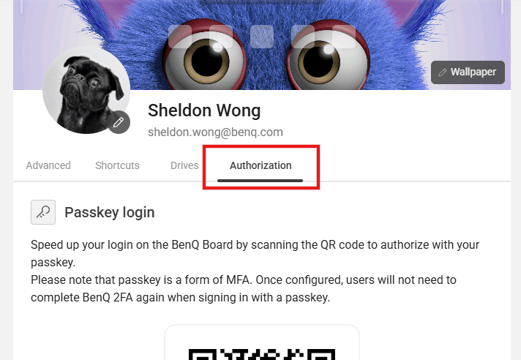
Note that the passkey won’t work when the default browser is in incognito mode.
Login history
Admins can now check the login history of their BenQ devices. To check the report go to Account Management → Login History. 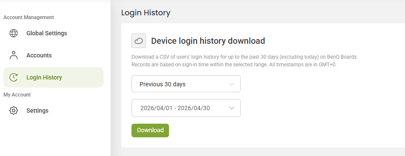
The downloaded .csv will show data on who logged in/out of which BenQ Board, time, as well as the login method used.
[Enhancements]
- The number of NFC cards that can be bound to each account has been increased from three to six.
