![logo-white.png]](https://knowledge.benq.com/hs-fs/hubfs/logo-white.png?width=50&height=50&name=logo-white.png)
[Instructions]
Before following the instructions, ensure that everything is up to date.
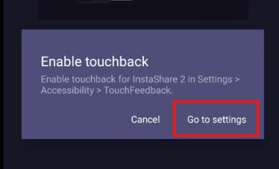
- Once cast is initiated to the board, a prompt will pop up with directions to Enable touchback. Click Go to settings.
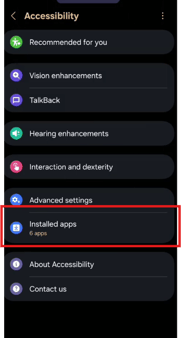
- Click Installed apps.
- Click into TouchFeedback For Instashare 2 and toggle this ON.
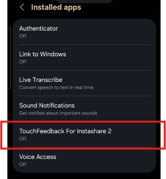
- Toggle ON TouchFeedback for Instashare 2 and Allow Full Control.