![logo-white.png]](https://knowledge.benq.com/hs-fs/hubfs/logo-white.png?width=50&height=50&name=logo-white.png)
[Instructions]
Before following the instructions, ensure that everything is up to date.
Airplay
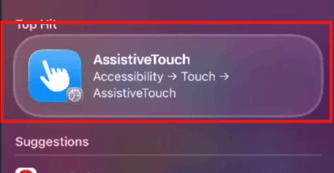
- Before casting to your BenQ Board, make sure to turn on AssistiveTouch. On your iOS device, Search for AssistiveTouch or navigate to Settings > Accessibility > Touch > AssistiveTouch.
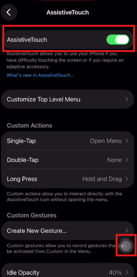
- Toggle on AssistiveTouch. Once turned on, you should now have a White Menu button on your screen (shown below).
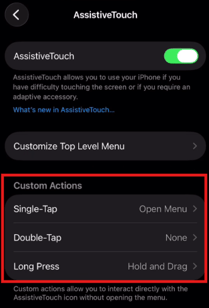
- Set Custom Actions for easier navigation:
- Single-Tap = Open Menu (this will let you click to open)
- Long Press = Hold and Drag (this will let you scroll up and down pages when you press & hold) You can reduce the Long Press Duration as well if you want the Scroll to be more responsive.
- Next, pair your iOS device to your board via Bluetooth.
- Screen mirror your Apple device to your BenQ Board.
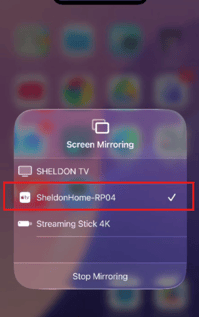
- Once broadcasting to the board, enable Touch feature.
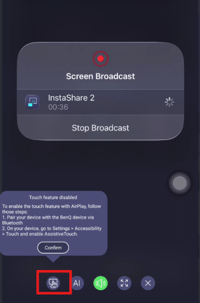
- After Touch feature is enabled, you should now be able control your iOS device from the BenQ Board.