![logo-white.png]](https://knowledge.benq.com/hs-fs/hubfs/logo-white.png?width=50&height=50&name=logo-white.png)
This article is created for BenQ EDLA Boards 04 Series and up. Board must support Google Services.
[Instructions]
- Make sure your Google Chrome is updated to at least version 145.
To check your Chrome version, open up Chrome on your BenQ Board and click on the icon on the upper right of your browser to open the Browser Settings. Scoll down to
  => About Chrome.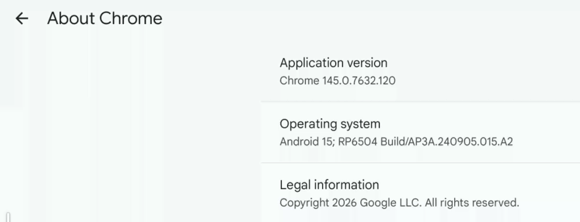
- If version meets the required version listed above, go back to Chrome Settings => Appearance.
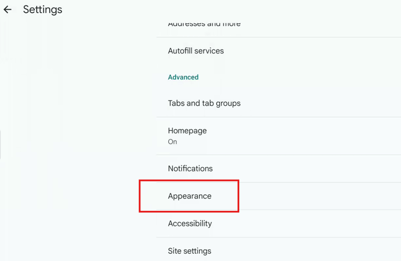
- Toggle Show Bookmarks Bar to ON.
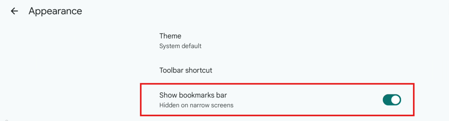
- You should now have your Bookmarks Bar within your Browser.
