![logo-white.png]](https://knowledge.benq.com/hs-fs/hubfs/logo-white.png?width=50&height=50&name=logo-white.png)
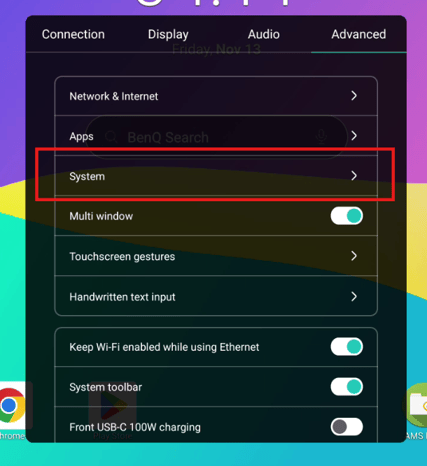
- Navigate to the BenQ OSD Menu > Advanced > System
- Keyboard > Physical Keyboard
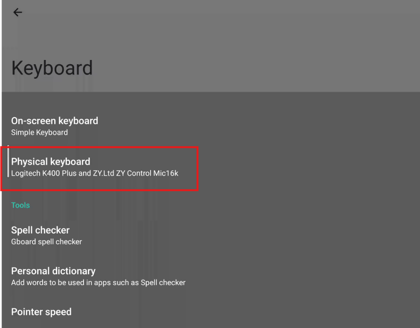
- Toggle Use on-screen keyboard to OFF
NOTE: Currently a bug on the RP04 and RP05 models where toggling off On-Screen Keyboard still results in the G-board popping up. Current workaround is to install another keyboard as the issue is related to G-board.
- Install another keyboard (e.g. Simple Keyboard).
- Navigate back to Keyboard > On-screen keyboard.
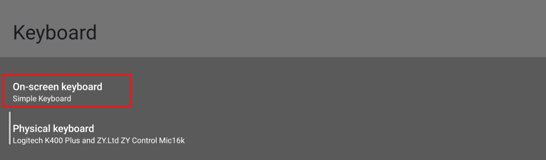
- Toggle off Gboard and toggle on your android keyboard.
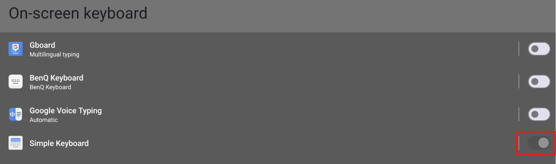
Now on-screen keyboard is off, only allowing you to use your physical keyboard.