![logo-white.png]](https://knowledge.benq.com/hs-fs/hubfs/logo-white.png?width=50&height=50&name=logo-white.png)
Issue: When attempting to begin a Screen Recording from the Floating Tool or through EWrite, I get a "Permission Denied" or "Screen Recording is not supported".
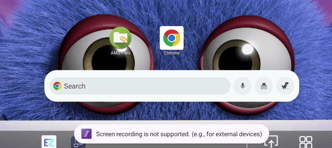
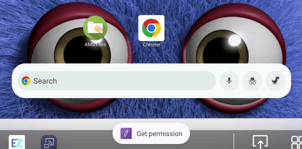
Solution: Enable "Display over other apps" for EZTools. Also check that Mic/Camera permissions for EZWrite and EZTools are enabled as well.
- Hit the Settings Button on the front of your BenQ Panel to open the OSD Menu shown below.
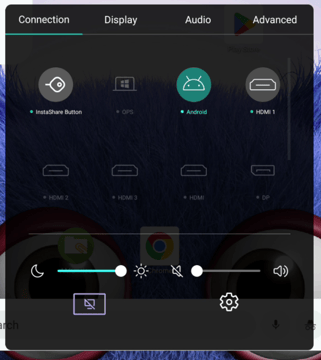
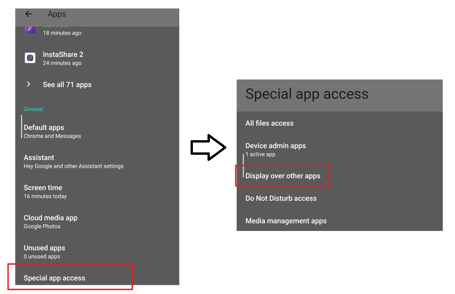
- Navigate to Advanced > Apps.
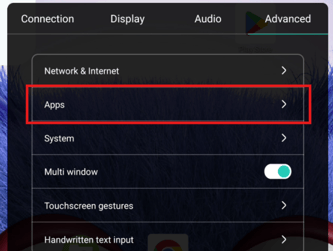
- Scroll down to Special App Access > Display over other apps.
- Both EZTools and EZWrite should be allowed.
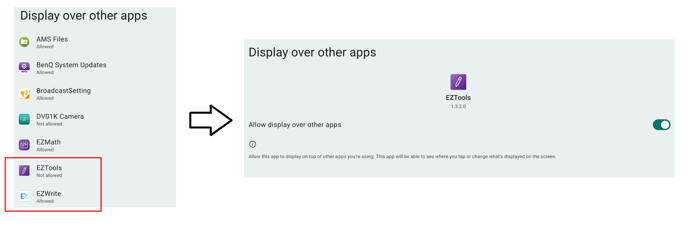
- Once both are allowed, you should be able to Screen Record correctly.