![logo-white.png]](https://knowledge.benq.com/hs-fs/hubfs/logo-white.png?width=50&height=50&name=logo-white.png)
[New Features]
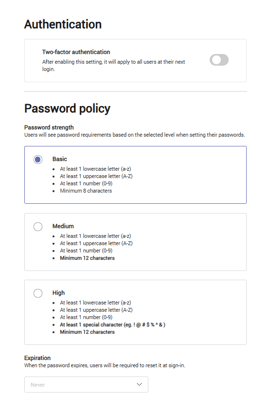
Password rules
Admins can now select from three security levels for user passwords and set password expiration. To access this feature, go to Accounts → Security.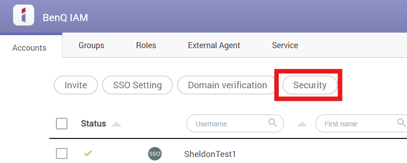
Microsoft Entra ID
Microsoft Entra ID can now be configured without manually entering SAML information. Admins can simply sign in with their admin credentials to enable users to log on to BenQ smart displays using Entra ID. Go to Accounts → SSO Settings → Microsoft Entra ID → Settings. Select the desired services and permissions, then click Next. Enter your Microsoft Entra ID admin credentials and accept the permissions. Go back to IAM, click Sync now.
Setup instructions can be found HERE.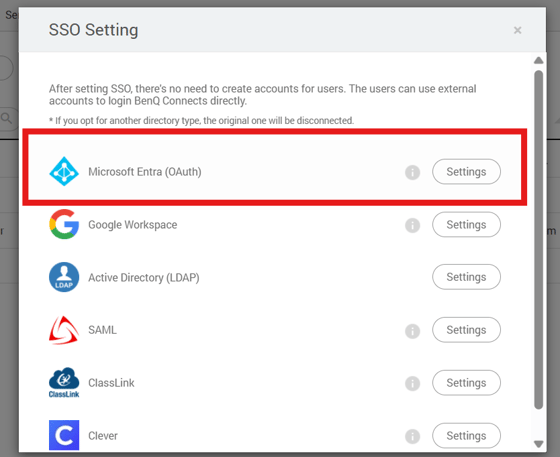
Once set up, users can now use the "Sign in with Microsoft" option for our Service Portal.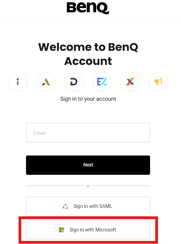
[Enhancements]
-
Admins can now change their organization name in Profile → Account settings → Organization.
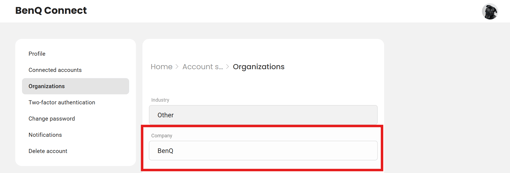
Users can now adjust their email notification preferences in Profile → Account settings → Notification.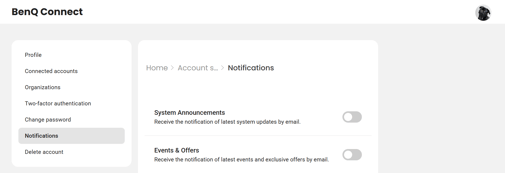
-
3. Added information regarding the Data process agreement (DPA).