![logo-white.png]](https://knowledge.benq.com/hs-fs/hubfs/logo-white.png?width=50&height=50&name=logo-white.png)
NOTE: This option is for troubleshooting purposes ONLY.
Admins/sub-admins can now remotely send device logs to BenQ support.
- Login to DMS with Admin/Sub-Admin account.
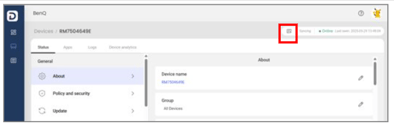
- Navigate to Devices => [Selected Device] => Upper Right-hand Corner (highlighted below)
- Report issue => Upload Logs
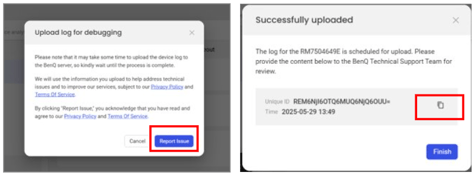
- Copy the information/screenshot and e-mail it to your BenQ support contact.