![logo-white.png]](https://knowledge.benq.com/hs-fs/hubfs/logo-white.png?height=50&name=logo-white.png)
Release Versions:
DMS release Web v3.4.3.3
Client APP v3.4.5.0
iOS Phone App v2.1.23.
[New Features]
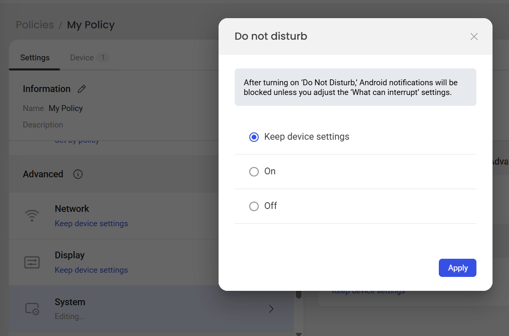
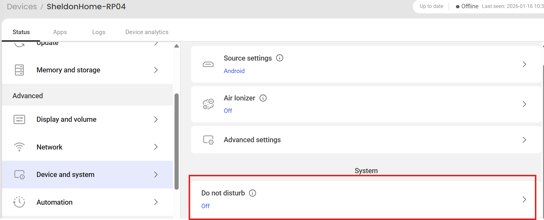
Added the Do Not Disturb setting
Users are now able to control notification pop ups on their BenQ Board. If DND is on, notifications from applications will no longer pop up on their board.
-
Policies → [Policy] → System → Do Not Disturb.
-
Devices → [Device] → View details → Status → Device and system → Do Not Disturb.
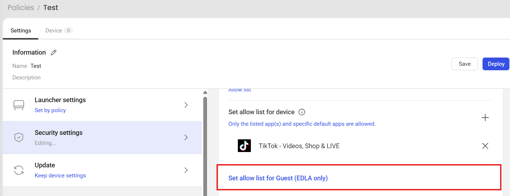
Added app block and allow lists for Guest account
Users are now able to separately manage what apps can be run under the Guest login without affecting regular users.
-
Policies → Security settings → App block/allow list. (Must have existing block/whitelist)
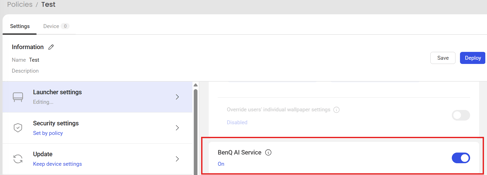
Added the BenQ AI service control setting
BenQ AI Service is available for 04 boards and up (ON by default). This service is required to leverage the recently added/upcoming AI features that will be available on the boards.
-
Policies → [Policy] → Launcher settings → BenQ AI Service
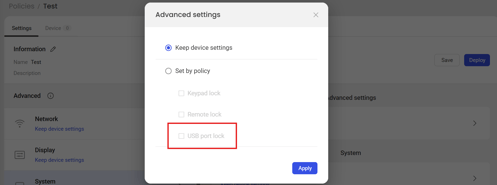
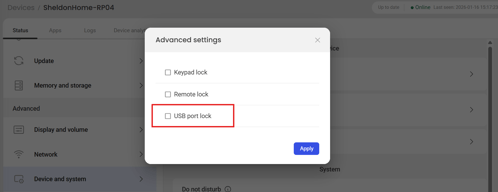
Added the USB port lock setting
-
Policies → [Policy] → System → Advanced settings → USB port lock.
-
Devices → [Device] → Device and system → Advanced settings → USB port lock.
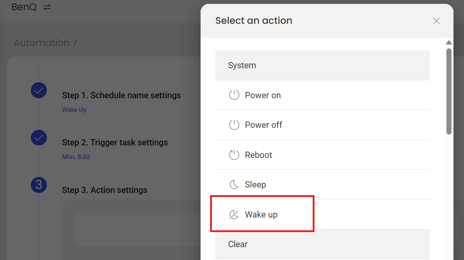
Added the Wake up action in Automation
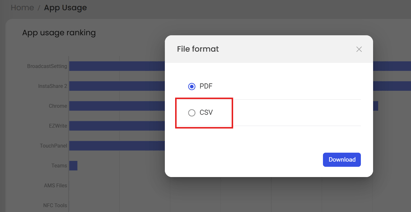
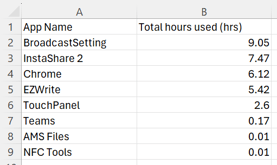
The following options are now available in Dashboard → App Usage → View details → Download:
-
PDF: Displays app usages in a graphical format that is consistent with DMS dashboard.
-
CSV: Provides app usages in a format that can be imported into a spreadsheet.
[Enhancements]
-
Improved DMS website rendering speed.
-
The Wi-Fi password is now masked during editing in Policies.
-
DMS log files will now be deleted from devices when using the Free up space feature in Devices and Policies.
-
Error handling optimization for firmware updates.
-
Error handling optimization for power off automation.
-
Improved stability when deploying policies to ensure all settings are processed correctly.
-
Optimized translations.
[Fixed Issues]
-
Fixed an issue where the auto-update mechanism did not include dependent apps.
-
Fixed an issue preventing certain apps from appearing in the DMS allow or block lists after being added via a Google Play Store URL.
[Update Instructions]
- This update requires installation through DMS or on the BenQ Board.
- Update DMS Client.
Method 1: Using DMS
-
- Go to https://dms.benq.com.
- Log in with your admin credentials.
- From the main menu, click Apps → BenQ Apps. The list of available apps appears.
- Locate DMS Client, then click Install. The app installation menu appears.
- Select the target devices (by devices, groups, or tags) and click Next.
- Select the specific devices, groups, or tags, and then click Select. A confirmation message appears.
- Review the information and click Confirm.
OR
Method 2: From the BenQ Board
-
- On the home screen taskbar, tap
 → BenQ App Store.
 - Tap
 → DMS Client.
 - The app details window appears.
- Tap Update.
Tip: If there are other available app updates, you can install them all by tapping then Update All.
- On the home screen taskbar, tap