![logo-white.png]](https://knowledge.benq.com/hs-fs/hubfs/logo-white.png?height=50&name=logo-white.png)
Issue #1: When trying to use my camera / microphone for recordings or meetings, they aren't accessible.
Issue #2: My screen recordings didn't record any audio.
Solution: Make sure that you've selected the correct devices to be used within the BenQ On-screen display menu.
To check what devices you have selected for Microphone and Camera follow the instructions below.
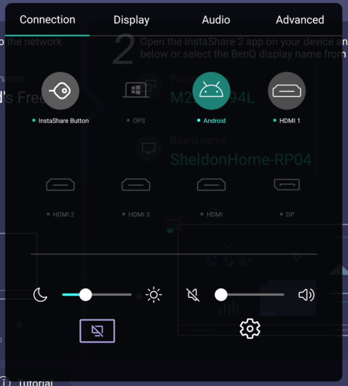
- Press the Settings button on your BenQ Remote or on the front of your BenQ Panel. The menu shown below should pop open on your screen.
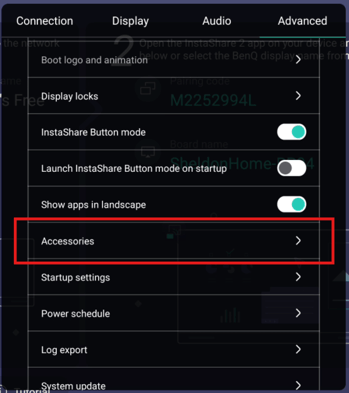
- Navigate to the Advanced Menu and scroll down to Accessories.
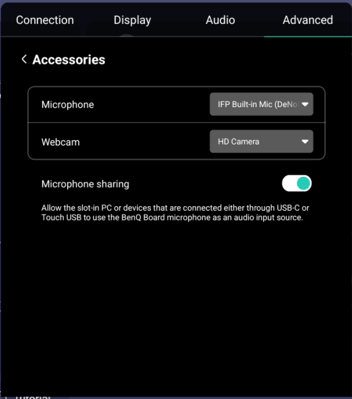
- Confirm you have the correct devices selected that you want use (e.g. IFP Built-in Mic is onboard array microphone for your RM/RP).